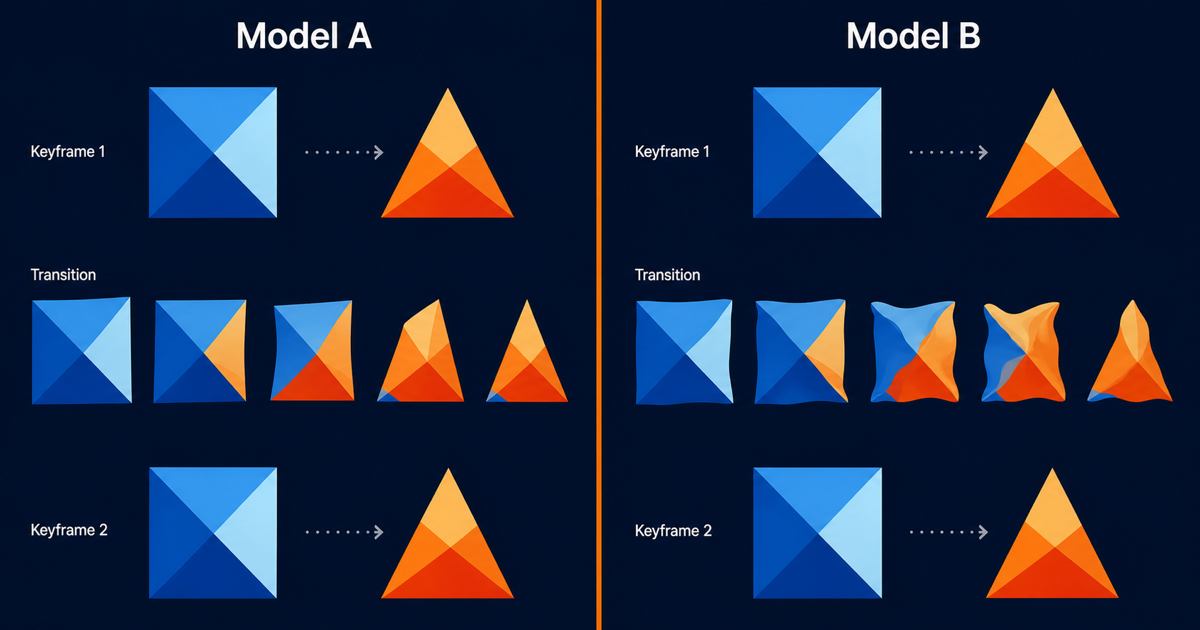
Wan 2.7 First-Last-Frame Control: A 5-Step How-To Guide
Key Takeaways
- First-last-frame mode in Wan 2.7 I2V lets you pin both the start and end states of a clip, with the model interpolating the motion in between.
- Five steps drive a clean render: prepare keyframes, upload both frames, set duration, write the transition prompt, then evaluate on five axes.
- Common failure modes are reflective-surface warping, identity drift on characters, and camera jumps when the two keyframes disagree on angle.
- Start short at 2 to 5 seconds; duration scales credit cost linearly, and long renders amplify artifacts.
- The PixMind first-last-frame prompts cluster has templates that match the three example patterns in this guide.
What Is First-Last-Frame Mode?
First-last-frame is a sub-mode of Wan 2.7 image-to-video (I2V). You supply two images: one for the first frame, one for the last. Wan 2.7 generates the in-between frames that connect them. According to the Alibaba Cloud I2V API reference, the model accepts an ordered pair of image inputs and outputs an MP4 at up to 1080P.
This matters because single-image I2V leaves the end state to the model. If your shot must land on a specific frame, a product fully rotated or a box fully opened, first-last-frame is how you guarantee that landing. For mode context, see the PixMind Wan 2.7 video generator, where one creation surface handles every I2V sub-mode.
The core workflow is five steps: prepare two keyframes, upload them in order, set duration, write the transition prompt, then render and evaluate. Each step has a single decision that determines whether the render succeeds.
Step 1: Prepare Your Keyframes
Keyframe quality is the single biggest predictor of a clean first-last-frame render. The Wan 2.7 image-to-video user guide recommends matching composition, lighting, and camera angle across both frames. We've found that mismatched keyframes force the model to invent a transition, which is where warping and identity drift appear.
Three consistency rules cover most cases. Match composition by framing both subjects in the same screen position. Match lighting by keeping the same key light direction and color temperature. Match camera by holding focal length, angle, and distance constant. Break any one rule and the model has to interpolate across a discontinuity.
Citation capsule: Keyframe consistency is the dominant factor in Wan 2.7 first-last-frame quality. The Alibaba Cloud image-to-video user guide recommends matching composition, lighting, and camera angle across both input frames to avoid model-invented transitions that cause warping and identity drift.
Composition checklist
- Subject occupies the same screen quadrant in both frames.
- Background elements stay in fixed positions.
- Aspect ratio of both frames matches the target output ratio.
- Negative space is preserved so motion has somewhere to go.
Lighting checklist
- Key light direction is identical in both frames.
- Color temperature matches within 200K.
- Shadow length and angle are consistent with a single light source.
- Specular highlights fall on the same surface regions.
Camera checklist
- Focal length is identical (use EXIF data or metadata).
- Shooting angle matches within 5 degrees.
- Camera height is consistent.
- Lens distortion characteristics match (prime versus zoom).
We've burned credits testing pairs where the first frame was shot at 35mm and the last at 50mm. The model produced a jarring "snap" mid-clip. Lock focal length before you generate.
Step 2: Upload First Frame and Last Frame
Wan 2.7 expects the two frames in a defined order. The first image you pass becomes the start state, the second becomes the end state. According to the Alibaba Cloud Model Studio overview, the I2V call accepts image URLs or base64-encoded payloads, and the model treats the input array as an ordered sequence.
Order matters more than people expect. If you upload the open-box image first and the closed-box image second, you get a closing animation. Reverse the order and you get an opening animation. The model does not infer intent from the prompt alone; the frame sequence is the source of truth for direction.
Upload format and sizing
Both frames should share the same aspect ratio as the target output. Feeding a 9:16 first frame and a 1:1 last frame forces a crop, and crops introduce artifacts at the edges. Resize both frames to the output resolution before uploading.
A practical sizing recipe: target 1920x1080 for 16:9 output at 1080P, 1080x1920 for 9:16, and 1080x1080 for 1:1. Keep file size under 10MB per frame to avoid timeout failures on slow connections.
Naming and order discipline
Name your files in a way that makes the sequence obvious. keyframe-01-closed.png and keyframe-02-open.png removes guesswork at upload time. This sounds trivial, but reversed-order uploads are the second most common failure we see.
Step 3: Set Duration (and Why You Should Start Short)
Duration controls how many interpolated frames the model must produce between your two keyframes. Longer durations mean more interpolation, which means more chances for the model to drift. The Wan 2.7 I2V API reference supports durations from 2 to 15 seconds for I2V.
We recommend starting at 2 to 5 seconds for any new keyframe pair. Short renders surface failure modes cheaply. If the model can interpolate cleanly across 3 seconds, you can confidently extend to 8 or 10 seconds on the next pass.
Citation capsule: Wan 2.7 I2V supports durations from 2 to 15 seconds, but credit cost scales linearly with duration. Testing at 2 to 5 seconds surfaces warping, drift, and camera-jump failure modes at a fraction of the cost of a 10-second render.
Duration versus motion amplitude
Short durations work for small motions. A 3-second render fits a lid lifting off a box. A 5-second render fits a character turning from back to front. Push past 8 seconds and the model has to invent intermediate motion that neither keyframe implies, which is where hallucinated movement enters.
Credit cost math
Duration scales cost linearly. A 10-second 1080P render costs roughly five times what a 2-second 1080P render costs. If you test at 10 seconds and fail, you pay full price for a render you cannot use. Test short, then commit.
Step 4: Write the Transition Prompt
The prompt in first-last-frame mode describes the motion between the two frames. It does not re-describe the subject; the keyframes already do that. The PixMind first-last-frame prompts cluster catalogs prompt patterns for the three worked examples below.
A transition prompt has four parts: the action, the speed, the camera behavior, and the style. Keep each part to one short clause. Long prompts dilute the model's attention and produce softer motion.
Citation capsule: Transition prompts in Wan 2.7 first-last-frame mode should describe motion, not subject. Effective prompts cover four parts: action, speed, camera behavior, and style. Each part as one short clause outperforms paragraph-length prompts that re-describe what the keyframes already show.
Prompt anatomy
- Action: what moves. "The lid lifts," "the figure turns," "the sky darkens."
- Speed: how fast. "Slow," "gradual," "over three seconds."
- Camera: what the camera does. "Static," "subtle push-in," "locked off."
- Style: visual treatment. "Cinematic," "documentary," "soft focus."
Anti-pattern: over-prompting
Resist the urge to re-describe the subject. If the first keyframe is a closed gift box, your prompt does not need to say "a closed gift box on a wooden table." The model already knows. Re-describing pushes the model to re-render the box, which fights interpolation.
[UNIQUE INSIGHT] The transition prompt's job is to constrain motion, not to declare subject. Treat it as choreography notes for a dancer who already knows the costume.
Step 5: Render and Evaluate on Five Axes
Every first-last-frame render needs an explicit evaluation pass. We evaluate on five axes, each scored pass or fail. A render that fails any axis goes back to step 1 or step 4, not to final delivery.
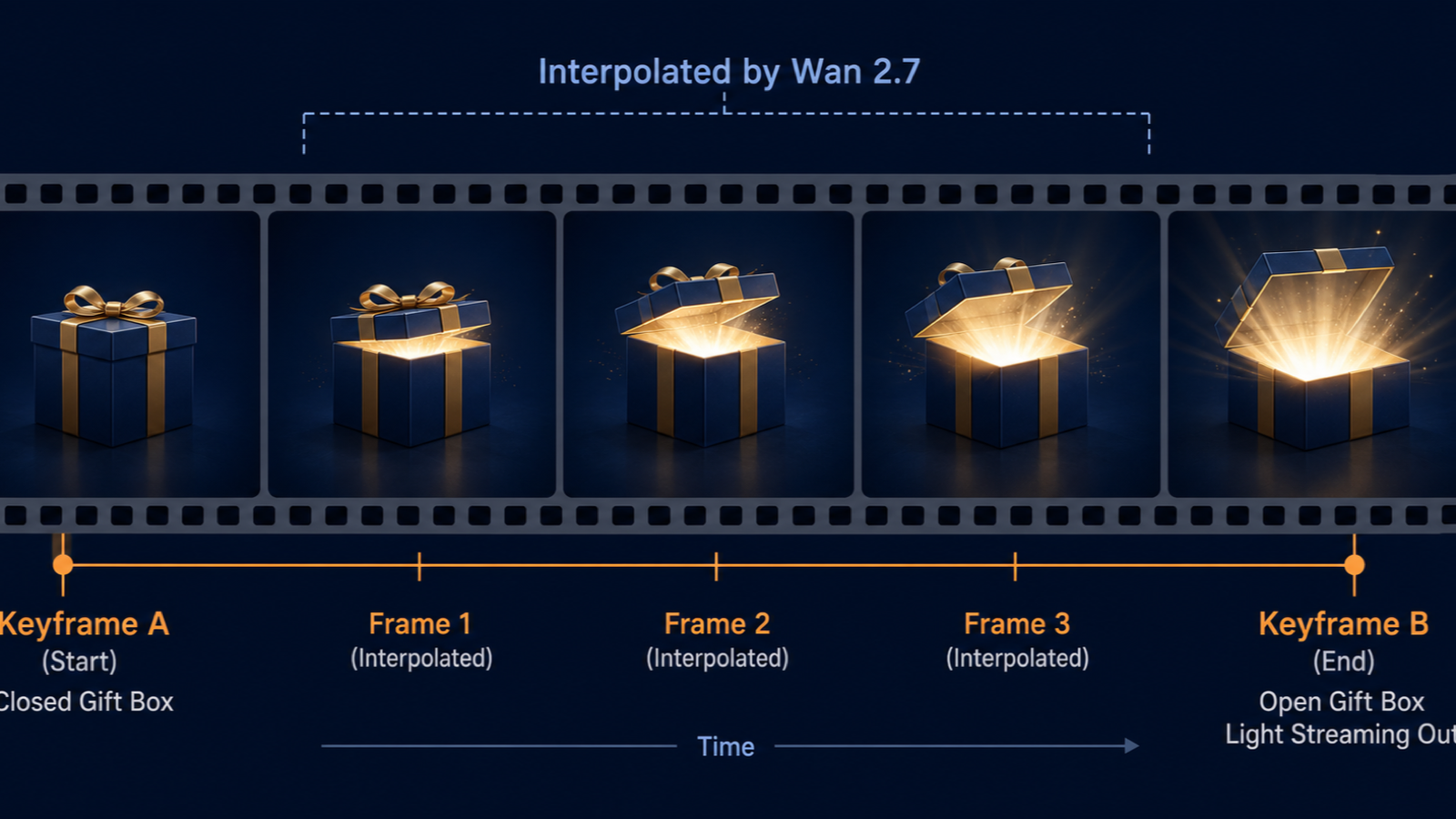
The five axes cover identity, camera, lighting, motion, and target-frame accuracy. The first three come from keyframe quality. The last two come from prompt and duration choices.
Citation capsule: Wan 2.7 first-last-frame renders should be evaluated on five binary axes: identity consistency, camera continuity, lighting continuity, motion plausibility, and target-frame achievement. A render that fails any axis should be reworked at the keyframe or prompt stage rather than re-rolled blindly.
Axis 1: Identity consistency
Does the subject look like the same subject across all frames? For characters, check face geometry. For products, check silhouette and branding. Drift here usually traces to keyframes that disagree on angle.
Axis 2: Camera continuity
Does the camera stay where it should? If you specified static, check for unintended push-ins. If you specified a push-in, check that the move is smooth and not stuttering.
Axis 3: Lighting continuity
Does the light direction stay constant? Watch for shadow flips mid-clip, which indicate the model swapped light sources between frames.
Axis 4: Motion plausibility
Does the motion look physically credible? Lids do not pass through boxes. Limbs do not bend backward. Hair does not freeze in mid-air. Implausible motion usually means the prompt asked for too much in too short a duration.
Axis 5: Target-frame achievement
Does the last frame of the generated video match your uploaded last-frame image? This is the test that gives the mode its name. If the model lands somewhere close but not exact, tighten your prompt or shorten the duration.
Three Worked Examples (Product Reveal, Character Turn, Day to Night)
The three patterns below cover roughly 80 percent of first-last-frame use cases we see on PixMind. Each includes keyframe prep, prompt, duration, and the failure mode that bites most often.
Example 1: Product reveal (gift box closed to open)
Keyframes: two product shots, identical camera and lighting. First frame: lid closed. Second frame: lid fully open with interior visible.
Prompt: "The lid lifts slowly upward and tilts back, revealing the interior. Static camera, soft cinematic lighting, three-second duration."
Duration: 3 seconds at 1080P, 16:9.
Failure mode: reflective-surface warping. If the box has a glossy finish, the model smears the highlight as the lid moves. Mitigate by reducing gloss in the keyframes or adding "matte surface" to the prompt.
Example 2: Character turn (back view to front view)
Keyframes: two character renders, identical lighting and focal length. First frame: character seen from behind. Second frame: character facing camera.
Prompt: "The figure rotates slowly to face the camera, turning clockwise over four seconds. Static medium shot, cinematic depth of field."
Duration: 4 to 5 seconds at 1080P.
Failure mode: identity drift. The face may shift mid-turn. Mitigate by making both keyframes as front-on as possible within the turn, or by using reference-to-video (R2V) mode for stronger identity preservation.
Example 3: Day to night (time passage)
Keyframes: two landscape shots, identical composition. First frame: daylight. Second frame: night with artificial lights on.
Prompt: "The sky darkens gradually from day to night over five seconds, artificial lights fade on, color temperature cools. Static camera, locked tripod."
Duration: 5 seconds at 1080P.
Failure mode: camera jump. If the two landscape shots were taken from even slightly different positions, the model invents a camera move to bridge them. Mitigate by shooting both keyframes from a locked tripod, or by using a single shot with exposure bracketing.
Common Failure Modes (and How to Fix Them)
Naming failure modes is how you ship faster. The three below account for most rejected renders we see.
Reflective-surface warping
Glass, polished metal, and water smear during interpolation because the model cannot track reflections consistently. Reduce motion amplitude, switch to matte surfaces in keyframes, or shorten duration so the model has fewer frames to invent.
Identity drift
Faces and silhouettes shift between frames. This is most common when the two keyframes disagree on angle or expression. Re-shoot the keyframes at matched angles, or switch to R2V mode with a reference image to anchor identity.
Camera jump
The model invents a camera move to bridge two keyframes that imply different angles. The fix is upstream: lock focal length, angle, and height across both keyframes. If you cannot re-shoot, accept the camera move and write it into the prompt.
We've found that camera jumps are the failure mode most often misdiagnosed as a "model bug." The model is doing exactly what the keyframes tell it to do. Fix the inputs.
Wan 2.7 First-Last-Frame FAQ
What is the difference between first-frame and first-last-frame in Wan 2.7?
First-frame mode accepts one image as the start state and lets the model invent the end state. First-last-frame mode accepts two images and forces the model to land on the second image. First-last-frame gives you end-state control that first-frame cannot.
How long should my first Wan 2.7 first-last-frame render be?
Start at 2 to 5 seconds. Short durations surface failure modes cheaply. According to the Alibaba Cloud I2V API reference, durations from 2 to 15 seconds are supported, but long durations increase interpolation distance and artifact risk.
Can Wan 2.7 first-last-frame handle reflective surfaces like glass and metal?
Yes, but with caution. Reflective surfaces are the most common warping failure mode. Mitigate by reducing gloss in the keyframes, keeping motion amplitude small, and writing "matte surface" into the prompt. Mirrors and polished chrome remain the hardest cases.
How do I prevent identity drift across the two keyframes?
Match the camera angle, focal length, and lighting across both keyframes within tight tolerances. If drift persists, switch to reference-to-video (R2V) mode and pass a reference image to anchor identity. R2V is documented in the PixMind Wan 2.7 video generator guide.
Does Wan 2.7 first-last-frame support 1080P?
Yes. Wan 2.7 I2V supports 720P and 1080P output. First-last-frame inherits both. 1080P consumes roughly twice the credits per second of 720P, so iterate at 720P and finish at 1080P.
Watch It in Action
11 minutes of work turned into 8.7M views in 5 days
— Woody (@woody_research) May 28, 2026
no camera, no real person, no photoshoots, just a 24 year old kid and an ai girl he generated on his laptop.
I've been watching how the page is built. the whole pipeline is three tools running in sequence.
> chatgpt writes… https://t.co/iNPeLY9r3K pic.twitter.com/4jB5QObIvw